
Hand tracking: training in virtual reality without joysticks
· SST-XR team
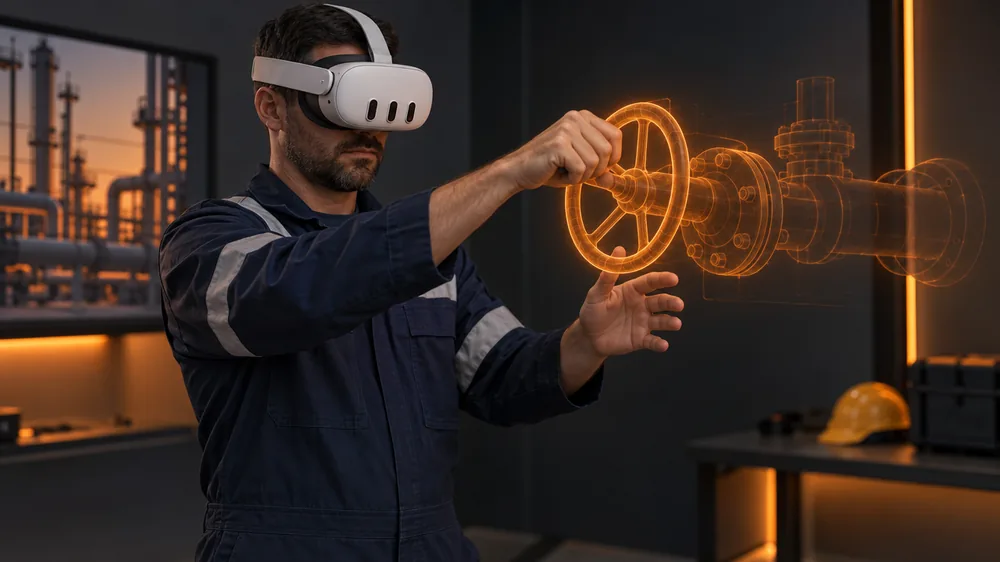
Almost everyone who takes a workplace safety training in virtual reality is putting on a virtual reality headset for the first time. Forklift operators, electricians, fire brigade members, warehouse assistants: people who know their own job very well but have never held a virtual reality joystick.
For a long time, this was costly. Before learning to fight a fire or lock out a machine, trainees had to learn which button grabs, which trigger presses and how to move around the scene. In practice, about half of the training time went into teaching how to use the controllers, not occupational safety.
What hand tracking is
Meta Quest headsets have cameras that see the user's hands. The system recognizes each finger and reproduces the movements inside the scene in real time. This is called hand tracking.
In SST-XR, this means that trainees use only their hands as the controllers. They see their own hands inside the training and do what they would do in real life.
Why this changes training
1. No one needs to memorize buttons
With a joystick, every action becomes a combination: hold one button to grab, press the trigger to activate, another button to release. For someone who has never played video games, that is a lot at once. With the hands, grabbing is closing your hand and pressing is pressing. There is nothing to memorize. See the three gestures in The hands are the controllers on the headset.
2. Trainees start training right away
Since the gesture is the same as in the real world, trainees start the training as soon as they put on the headset. The initial explanation stays short and class time goes to what matters: recognizing the risk, making the right decision and carrying out the procedure in order.
3. The movement trained is the real movement
Pulling the extinguisher seal, turning a valve, attaching the padlock and hanging the tag are gestures the worker will repeat on the job. Done with the hands, and not with a trigger, they are closer to the real task and easier to remember.
4. The group moves faster
If each trainee needs less time to understand the headset, more people fit into the same training shift, and the instructor no longer has to stand next to each person explaining buttons, focusing instead on what matters: occupational safety. Each session's results still go to the training management dashboard, with score, steps completed and mistakes.
5. Fewer things to look after
Without depending on joysticks, there are no dead batteries in the middle of a group and no forgotten joysticks left in a cupboard.
Where the hands make the biggest difference
- Fire response: picking up the extinguisher, pulling the seal, aiming the hose and squeezing the handle in Warehouse fire and Fire in your room.
- Energy lockout (LOTO): switching off the disconnect, closing the valve, applying the padlock and the tag in Electrical lockout and Hydraulic and pneumatic lockout.
- Work at height: inspecting the equipment, connecting the lanyard and climbing with three points of contact in Ladder climbing.
Tips for the first group
- Use a well-lit room. The headset's cameras need to see the hands.
- There are no joysticks to hand out. The headset recognizes the hands as soon as they appear in front of it.
- Explain the three gestures in one minute: grab, touch and point. Trainees discover the rest inside the training.
SST-XR works on Meta Quest 3 and 3S headsets, recommended for new deployments, and remains compatible with Quest 2, with no internet needed during training. See the complete training catalog or request an online demo to see hand tracking working.